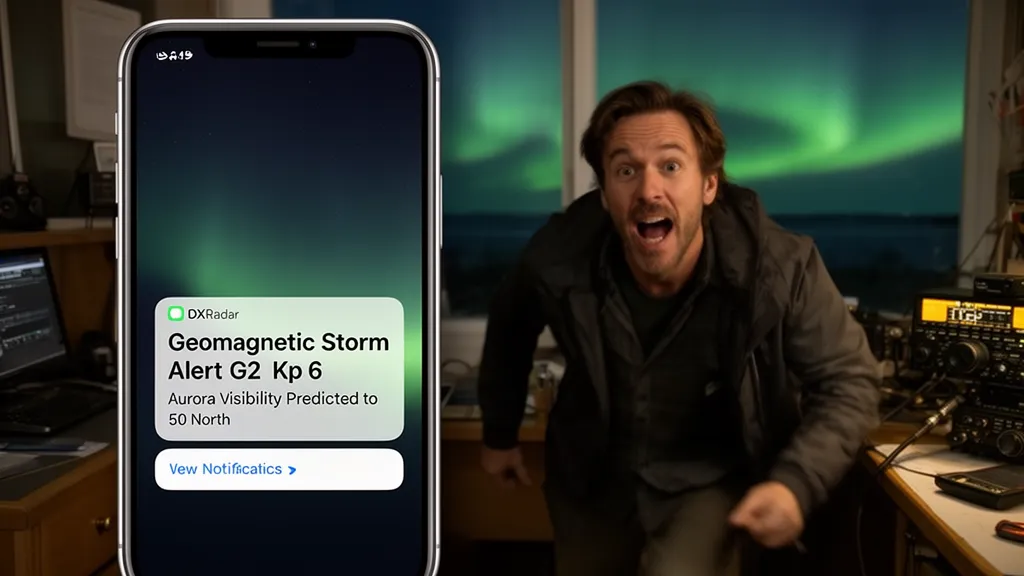
Operator’s Verdict: Enable DXRadar alerts to get browser notifications for geomagnetic storms, M/X flares, and aurora events — no constant dashboard monitoring required. Setup takes 30 seconds: visit /solar-weather, click Enable Alerts, accept browser permission. Configure thresholds to match your interests (aurora viewing vs. HF propagation impact vs. VHF radio aurora).
Why Push Notifications Matter
The problem with space weather monitoring is timing. Geomagnetic storms develop within hours of a CME arrival or high-speed stream. A solar flare causes an HF radio blackout within minutes. Aurora becomes visible then fades within hours.
If you’re not watching DXRadar’s dashboard at the exact moment these events occur, you miss them. Manual monitoring — refreshing the page every few hours — is inefficient and unreliable.
Push notifications solve this: DXRadar monitors space weather continuously in the background and sends you an alert when something worth knowing happens, whether you’re at the radio, at work, or asleep.
Pro Tip: Monitor DXRadar’s solar weather dashboard for real-time space weather data — check it before every operating session.
Setting Up Notifications
Desktop Browser (Chrome, Firefox, Edge)
- Navigate to dxradar.com/solar-weather
- Look for the bell icon or “Enable Notifications” prompt
- Click it — your browser will show a permission prompt asking if DXRadar can send notifications
- Click “Allow”
- Access notification preferences from the bell menu to configure which alert types you want
Notifications will now appear as browser notifications even when DXRadar isn’t the active tab, as long as your browser is running.
Android (Chrome)
- Open DXRadar in Chrome on Android
- Tap the notification bell on the solar-weather page
- Accept the browser notification permission
- Optionally: tap the Chrome menu → “Add to Home Screen” to install DXRadar as a PWA for a more app-like experience with native notification appearance
iOS (Safari, iOS 16.4+)
- Open DXRadar in Safari on iPhone or iPad
- Tap the Share icon → “Add to Home Screen” to install as PWA
- Open DXRadar from the home screen icon (not from Safari)
- Enable notifications from the installed PWA — iOS 16.4+ supports push from PWAs added to home screen
Note: iOS requires the PWA to be installed from the home screen; push notifications from the browser itself are not supported on iOS.
Alert Types and Recommended Settings
For HF Radio Operators (DX, Contesting)
| Event | Recommended Threshold | Why |
|---|---|---|
| Geomagnetic storm | G2 (Kp 6) or higher | G1 storms affect polar paths; G2+ affects mid-latitudes |
| Solar flare | X-class | M-class flares cause brief regional HF blackouts; X-class causes widespread outages |
| Solar wind Bz | Southward > 10 nT | Early warning of developing storm |
For Aurora Observers
| Event | Recommended Threshold | Why |
|---|---|---|
| Geomagnetic storm | G1 (Kp 5) if at 60°N; G2 (Kp 6) if at 50°N | Calibrated to aurora visibility at your latitude |
| Aurora alert | Enable DXRadar’s aurora alert | DXRadar’s aurora alert incorporates predicted oval position + Kp |
For VHF Radio Aurora Operators
| Event | Recommended Threshold | Why |
|---|---|---|
| Geomagnetic storm | G1 (Kp 5) | Radio aurora on 144 MHz begins at Kp 4–5 |
| Aurora alert | Enable | VHF radio aurora correlates with aurora visibility |
What Happens When You Get an Alert
A typical geomagnetic storm push notification from DXRadar:
Geomagnetic Storm Alert — G2 (Kp 6) Kp has risen to 6. High-latitude HF paths may be disrupted. Aurora visible from 50°N. Check DXRadar for current conditions.
Tapping the notification opens DXRadar’s aurora page directly.
What to do after a storm alert:
- Open DXRadar’s solar weather page to see current Kp and Bz
- If operating HF: check which bands are still functional via propagation map
- If interested in aurora: look north if it’s dark and clear at your location
- If operating VHF: try 144 MHz for radio aurora scatter contacts
What to do after a solar flare alert:
- Check X-ray flux on the solar weather page for flare class and whether it’s decaying
- If on HF: expect 10–60 minutes of degraded conditions on sunlit-path bands
- Wait for X-ray flux to return below M1 before the blackout clears
Notification Frequency Expectations
During active geomagnetic periods (near solar maximum, like 2025–2026), Kp may reach G1 or higher several times per month. During quiet periods, alerts may be infrequent for weeks.
Solar flare alerts: M-class flares occur multiple times per week near solar maximum. X-class flares occur several times per year to several times per month at maximum.
To avoid notification fatigue during active solar periods, consider setting your storm threshold to G2 (Kp 6) rather than G1 (Kp 5) — G2 storms are notable events, while G1 occurs fairly often near solar maximum.
Frequently Asked Questions
What events can DXRadar send push notifications for?
DXRadar can send push notifications for the following space weather and propagation events: geomagnetic storm alerts (when Kp reaches storm threshold, G1 or higher), solar flare notifications (M-class or X-class flares that may cause radio blackouts), aurora alerts (when Kp rises to levels where aurora is visible at your latitude), and significant changes in solar wind conditions (Bz turning strongly southward, indicating storm potential). These events are sourced from NOAA SWPC alert feeds and processed by DXRadar’s backend workers, which generate notifications typically within 5–15 minutes of the NOAA alert being issued.
How do I enable push notifications on DXRadar?
Visit DXRadar’s solar weather page (/solar-weather) or aurora page (/solar-weather/aurora) and look for the notification bell or ‘Enable Alerts’ button. Click it to trigger your browser’s push notification permission prompt. Once permitted, your browser registers with DXRadar’s notification service. You will then receive browser push notifications for configured alert types, even when DXRadar is not the active browser tab. Notifications work on desktop browsers (Chrome, Firefox, Edge) and on Android devices (Chrome). iOS Safari supports push notifications from PWAs in iOS 16.4 and later.
Do push notifications work on mobile phones?
Yes, push notifications work on Android devices using Chrome browser. You can add DXRadar to your Android home screen as a Progressive Web App (PWA) and receive push notifications that appear alongside regular app notifications. On iOS (iPhone/iPad), push notifications are supported for web apps added to the home screen using iOS 16.4 or later with Safari. Note that push notifications require an internet connection to deliver — they won’t reach your phone if you’re off-network in a park or remote operating location.
Can I customise which alerts I receive?
DXRadar’s notification settings allow selecting which event types to receive alerts for. You can choose any combination of: geomagnetic storm (G1+, or G2+, or G3+ threshold), M-class flares, X-class flares, and aurora visibility alerts calibrated to your approximate latitude. If you primarily care about aurora (either for viewing or VHF radio aurora), you can enable only aurora alerts. If you only care about HF propagation effects, you might enable G2+ storms and X-class flares but skip aurora-only notifications. The settings page is accessible from the notification preferences menu once notifications are enabled.
How quickly are notifications sent after a solar event?
DXRadar’s backend workers poll NOAA SWPC alert feeds every 3–5 minutes. When a new NOAA alert is published (geomagnetic storm watch, M-flare notification, etc.), DXRadar typically generates push notifications within 5–15 minutes of the NOAA alert timestamp. NOAA itself takes varying amounts of time to issue alerts after an event — geomagnetic storm alerts based on DSCOVR solar wind data are typically issued within 10–30 minutes of storm onset. Combined, you should receive a DXRadar push notification within 15–45 minutes of an actual geomagnetic storm beginning or a significant solar flare occurring.