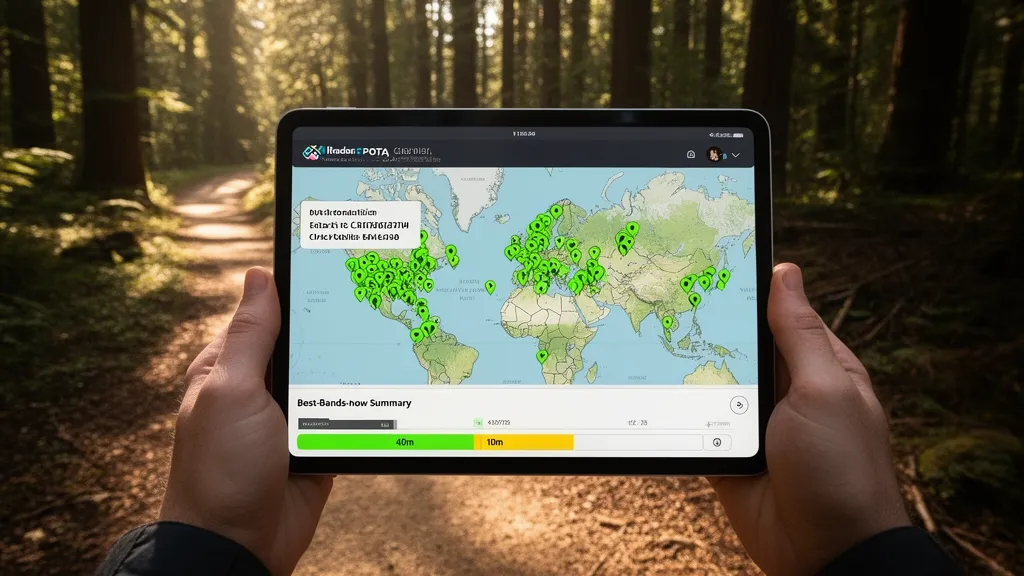
Operator's Verdict: Check the propagation map before deployment to confirm 40m and 20m are open toward your target chaser regions. Monitor solar weather for storms that could close high bands mid-activation. Use the POTA activator map to see who else is active and which frequencies are busy.
Planning Your POTA Activation with DXRadar
The difference between a 10-contact activation and a 100-contact activation is often propagation. A park activator who checks band conditions before deployment — and adjusts frequency choice accordingly — will consistently activate more efficiently than one who assumes propagation is average.
Pro Tip: Check DXRadar's best bands now and your band-specific pages before heading out — live propagation data beats any static forecast.
The Pre-Activation Checklist
30–60 minutes before departure:
1. Check DXRadar's solar weather (/solar-weather)
Look at:
- SFI (Solar Flux Index): Below 100 = stick to 40m and 20m; 100–150 = all bands possible; above 150 = try 10m and 15m during midday
- Kp index: Below 3 = all bands good; 4–5 = avoid polar paths; 6+ = plan on 40m and 80m only
2. Check the best-bands-now page (/best-bands-now)
This page colour-codes each band by current condition quality, updated with live propagation data. Green = good; yellow = moderate; red = poor or closed. A 30-second check tells you whether to put 10m in your antenna plan or skip it.
3. Check the propagation map (main map)
Filter for 40m and 20m. Are there active spots from your region toward the areas where most chasers are? For North American activators, look for east–west spanning lines on 40m and 20m. Chasers in New England, the midwest, and California are the primary contact pool — confirm their directions show open paths from your park's location.
4. Check for scheduled geomagnetic activity
Look at the Kp trend on the solar weather page. Is it rising (storm potentially developing)? If a major storm is in progress (Kp 7+), consider postponing or accepting that only 40m will work well.
Using DXRadar During the Activation
If your park has cellular data coverage:
Every 30–45 minutes: Refresh the best-bands-now page. Band conditions can change significantly over a 2-hour activation. A morning activation that starts on 40m may shift to 20m being more productive as the day progresses and D-layer attenuation on 40m increases.
When contacts thin out: Check the propagation map to see if the band you're on still shows active spots. If 20m is quiet on the map, try 40m or switch to FT8 on 14.074 MHz to collect digital chasers who haven't heard you on SSB.
Alert for solar events: If signals suddenly disappear on all bands simultaneously, check X-ray flux on the solar weather page. An M or X-class flare on the sunlit Earth hemisphere causes HF absorption that affects all frequencies simultaneously — the signals don't come back until absorption clears (typically 15–60 minutes). Rather than troubleshooting your antenna, wait it out.
The POTA Activator Map
DXRadar's activator map integrates live POTA activation data with the propagation map context. Chasers use it to:
- Find who is currently activating and on what frequency
- See activations in geographic context — planning contact attempts to specific regions
- Avoid frequency conflicts (multiple activators on nearby frequencies)
As an activator, seeing your own pin appear on the map confirms that your spot was received by the POTA infrastructure. If you spot yourself via the POTA spotting network and your pin doesn't appear within 5 minutes, there may be a spotting issue to investigate.
Band Recommendations by Time of Day
For a typical mid-latitude POTA activation:
| Time (local) | Primary Band | Secondary | Notes |
|---|---|---|---|
| 0700–0900 | 40m | 80m | Morning grey-line; 40m excellent |
| 0900–1100 | 40m → 20m | 15m if SFI > 130 | 20m building; 40m still good |
| 1100–1400 | 20m | 15m, 10m | Peak daytime HF; try high bands |
| 1400–1700 | 20m | 15m | European paths open for N. American stations |
| 1700–1900 | 40m | 20m | Evening transition; 40m building |
| 1900–2100 | 40m | 80m | Evening; 40m at its best |
This schedule is a starting point — DXRadar's real-time data overrides general expectations. If 10m is clearly open (shown on propagation map), use it even if the clock says morning.
FT8 Band Selection for POTA
FT8 at 5 watts with a modest antenna can produce extraordinary POTA contact rates when conditions are right. The FT8 frequencies to know:
| Band | FT8 Frequency | Best Use Case |
|---|---|---|
| 40m | 7.074 MHz | Regional contacts; always busy |
| 20m | 14.074 MHz | National/international; very active |
| 15m | 21.074 MHz | When SFI > 110; international |
| 10m | 28.074 MHz | When SFI > 130; wide open = pileup |
During a solar maximum 10m opening, a QRP FT8 station in a park can collect 50+ contacts per hour from chasers across the continent. Check DXRadar's propagation map for 28 MHz activity before setting up — if the band is alive on the map, FT8 on 10m will be productive.
Frequently Asked Questions
How does DXRadar help with POTA activations?
DXRadar provides two tools directly relevant to POTA: the live activator map showing current POTA activations worldwide, and the band condition tools (propagation map, solar weather, best-bands-now page) for determining which frequency bands have the best propagation at your current time and location. Before deploying to a park, check the propagation map to confirm which bands are open between your park's location and the regions where most chasers are located. During the activation, check solar weather for any developing conditions that might affect your planned operating frequencies.
Which band should I use for my POTA activation?
For North American activators: 40m (7 MHz) is the most reliable band for reaching chasers within 300–800 km and is productive both day and night. 20m (14 MHz) provides access to nationwide chasers during the day and some international contacts. Check DXRadar's best-bands-now page before deployment to see real-time propagation data. If SFI is above 130 and Kp is below 3, 10m and 15m may be wide open and can produce rapid pileups. 80m is useful for early morning or evening activations when you want very local coverage. In general, start on 40m and switch to 20m once you have a run going.
What is the POTA activator map on DXRadar?
DXRadar's activator map shows live POTA activation spots sourced from the official POTA API. Each active activation appears as a pin on the map with the park reference, activating callsign, frequency, and mode. Chasers can use this map to find who is currently active, on what frequency, and click through to the park details. The map updates every 2 minutes to reflect new activations, frequency changes, and completions. It's optimised for mobile viewing so chasers can monitor active parks on their phones while at home or portable.
How does solar weather affect POTA activations?
Solar weather affects POTA primarily through HF propagation changes. During quiet conditions (Kp < 3, SFI 100–150), any HF band can support good POTA contacts within its normal propagation range. During a geomagnetic storm (Kp 5+), high bands (10m, 15m) may degrade but 40m NVIS remains functional for regional contacts. During a solar radio blackout (M or X flare on the sunlit side of Earth), all HF bands can become briefly unusable — these events typically last 10–60 minutes. For short POTA activations (1–2 hours), checking space weather before deployment and having a backup plan (lower band, or waiting) is sufficient risk management.
Can I use DXRadar while actually at the park?
Yes — DXRadar is fully mobile-responsive. The key pages to bookmark for field use: the solar weather summary (/solar-weather) for current SFI and Kp, the best-bands-now page (/best-bands-now) for a colour-coded band condition summary, and the propagation map for a real-time view of open bands. These pages load quickly on mobile data connections. In parks with no mobile coverage, check conditions before leaving home — propagation conditions change slowly enough that a 30-minute-old check is still useful for most POTA frequencies.