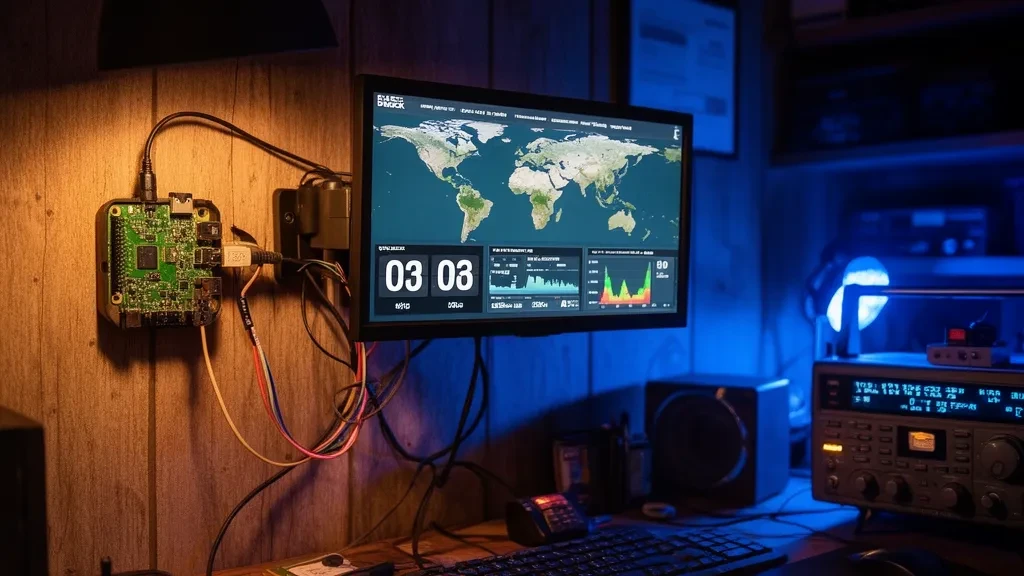
Operator’s Verdict: OpenHamClock is the real successor to HamClock — open source (MIT), actively developed, and available three ways: zero-install at openhamclock.com, self-hosted on a Pi or PC (Node.js 20.19+), or as a Docker container. If your HamClock went dark after the June 2026 shutdown, this is the most direct replacement; pair it with a live propagation dashboard and you’ve upgraded, not just recovered.
What OpenHamClock Is
When HamClock’s creator Elwood Downey (WB0OEW) became a silent key and the project’s backend was scheduled off in June 2026, the community response was fast. OpenHamClock — started by Chris, K0CJH — rebuilt the always-on shack display concept as a modern browser application and kept going well past feature parity. Per the project’s documentation it brings together: DX cluster spots, space weather, propagation predictions, POTA/SOTA/WWFF activations, PSKReporter reception data, satellite tracking, WSJT-X integration, and direct rig control — one dashboard, MIT-licensed, with the code on GitHub for anyone to extend.
The full background on the HamClock shutdown, the community backend that keeps original HamClocks alive, and every alternative is in our HamClock alternatives guide.
Three Ways to Run It
1. Zero install: openhamclock.com
The hosted site is the fastest path — open it in any browser, run the setup with your callsign and grid square, done. This is the right answer for a spare monitor, a smart TV browser, or trying it before committing hardware. It’s free; the developer accepts donations toward hosting costs.
2. Self-hosted on a Pi or PC
For a dedicated shack machine with your data staying local (and rig control on your own network), install it directly. The one gotcha the README warns about loudly: you need Node.js 20.19 or later, and the Node that ships in most Linux distributions — including Ubuntu 24.04’s apt install nodejs — is too old and will not work. Install a current LTS via nvm or NodeSource first.
Then, per the project’s install docs:
git clone https://github.com/accius/openhamclock.git
cd openhamclock
npm ci
npm start
Open http://localhost:3000 — first run creates a config file and walks you through callsign and grid locator setup. After that, the only configuration most operators touch is two lines in .env (CALLSIGN and LOCATOR).
3. Docker
Container images are published at ghcr.io/accius/openhamclock with a zero-config quick start in the project’s Docker docs — the cleanest option if the machine already runs other containers.
Development moves quickly on this project, so treat any feature list (including ours) as a snapshot and check the GitHub repository for current status.
OpenHamClock vs the Original HamClock
| HamClock (original) | OpenHamClock | |
|---|---|---|
| Status | Project ended; stock clocks need the community backend | Actively developed |
| License | Free binary | MIT open source |
| Runs as | Compiled app (Pi/desktop) | Browser app — hosted, local, or Docker |
| Extensibility | None | Fork it, PR it — community-driven |
| Rig/WSJT-X integration | Limited | Documented integrations |
If you have a working HamClock you love, the community replacement backend keeps it alive (covered here). But for a new build in 2026, OpenHamClock is the stronger foundation.
Where a Live Propagation Dashboard Fits
A shack display answers “what time is it, where’s the grey line, who’s spotted.” A propagation dashboard answers “why is the band doing this, and what should I do about it.” That’s the lane DXRadar’s live dashboard occupies: observed spots fused with live SFI, K-index, and X-ray flux, aurora conditions, and per-grid condition pages — no install, and with its own fullscreen shack display mode (UTC clock, live map, band conditions) if you want the at-a-glance format on a second monitor.
The honest recommendation: they’re complements, not competitors. One screen of OpenHamClock for station awareness, one of DXRadar for propagation depth, and you’ve replaced HamClock with more than it ever showed.
Frequently Asked Questions
Is OpenHamClock free?
Yes — OpenHamClock is MIT-licensed open source, and the hosted version at openhamclock.com is free to use, supported by voluntary donations. You can also self-host it on your own hardware at no cost beyond the hardware.
Does OpenHamClock run on a Raspberry Pi?
Yes — a Raspberry Pi driving a monitor is a primary use case, either running the app locally (it needs Node.js 20.19 or later, newer than what most distros package) or simply opening the hosted openhamclock.com site in a browser, which needs no install at all.
What does OpenHamClock include that HamClock had?
Per its documentation, OpenHamClock covers DX cluster spots, space weather, propagation predictions, POTA/SOTA/WWFF activations, PSKReporter data, satellite tracking, WSJT-X integration, and rig control in a browser-based dashboard — recreating and extending the HamClock concept after the original project ended.
Do I still need OpenHamClock if I use DXRadar?
They complement each other. OpenHamClock is a self-hostable shack display with rig control and logging-adjacent integrations; DXRadar is a zero-install web dashboard focused on live propagation with deep solar-weather data and per-grid conditions, including its own fullscreen shack display mode. Many operators will run one screen of each.